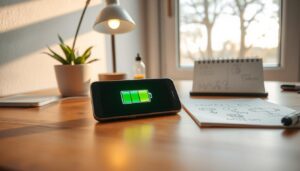
This short intro explains practical steps designed to help you keep your phone reliable during hot days. Hot-weather surges across the U.S. have produced record temperatures, and more warm days are likely ahead.
Excessive heat can slow performance and trigger an automatic shutdown. In rare cases, a swollen battery or fire is possible, so safety matters. Modern smartphones warn you on-screen and usually recover after a cool-down.
This section sets clear expectations. You will find easy, step-by-step tips for avoiding overheating, cooling a hot device, and keeping long-term battery health. The steps are senior-friendly: adjust a few settings, close unused apps, and avoid direct sunlight or a hot car.
Most overheating events clear after a short rest. These low-effort actions lower risk during vacations, errands, and outdoor plans. The advice ahead focuses on simple, useful actions you can trust to help keep your phone working when you need it most.
Why Phones Overheat and Why It Matters on Hot Days
Warm weather and heavy use often combine to push modern devices past safe thermal limits. Intensive tasks like gaming, HD video streaming, and GPS navigation force the processor to work harder. That activity raises internal heat fast.
Environmental factors add pressure. Direct sunlight, a dashboard mount, or a parked car can raise the external temperature and speed heat buildup. Most phones show an overheating alert around 95°F (35°C), near their maximum operating limit.
Background services and refreshing apps keep the processor awake even when the screen looks idle. Charging—especially fast charging—adds more electrical load and extra warmth. On hot days the device has less ability to shed heat, which increases the risk overheating sooner than usual.
Knowing these reasons helps you adjust usage and settings before problems start. Reduce heavy usage, pause background refresh, and avoid direct sunlight to keep operating temperatures lower and preserve performance on warm days.
Everyday Habits to Keep Your Phone Cool
A few routine steps will help your device run cooler and stay reliable outdoors. These habits cut heat risk and are easy to make part of daily use.
Avoid direct sunlight and hot cars
Don’t leave a phone direct in sunlight or on a dashboard. Interior cabin temps rise fast; glove boxes and seats can trap heat within minutes.
Smart charging habits
Charging creates extra warmth, and fast charging raises that heat faster. If the device feels warm, unplug and give it time to cool before resuming charging.
Pick the right case (or no case)
Choose lighter colors and thin materials so the chassis can dissipate heat. When the unit warms, remove the case and set it where air can flow around the sides.
Also minimize unneeded services—Bluetooth, Wi‑Fi, LTE, and GPS—and close unused apps to reduce background usage and lower heat over time.
Seniors guide to phone cooling: quick steps when your device gets hot
If your device starts running hot, quick calm action can prevent damage and restore normal operating temperatures.
Turn it off, move to shade, and use flowing air
Unplug the charger and power the device off to stop background processes that generate heat. Move it to a shaded, cooler spot and let steady air flow across the surface.
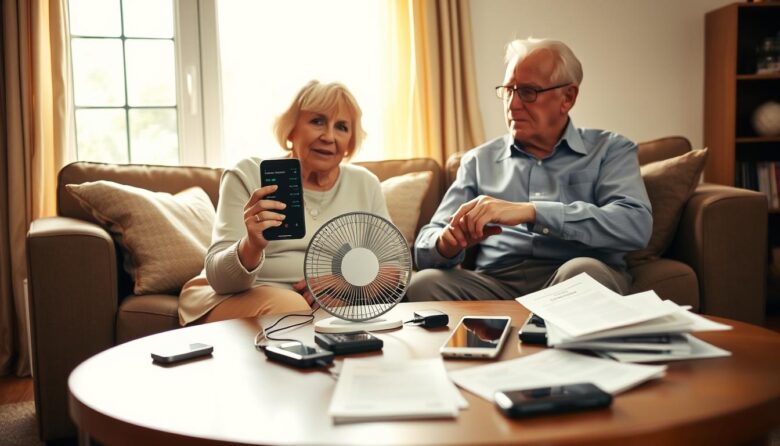
A fan or a running car AC vent speeds gentle cooling without sudden temperature change.
Remove the case and pause charging
Take off bulky or dark cases that trap additional heat. Pausing charging cuts electrical load and lowers the chance of further warming.
Safe surfaces and what to avoid
Set the unit on a wooden table or a clean, cool metal surface in an air-conditioned room for faster heat loss. Avoid placing the device in a fridge or freezer—rapid shifts cause condensation that can damage internal components.
Wait at least 15 minutes before turning it back on. If the device still feels warm, give it more time and check again to reduce risk.
Keep your device fast: simple performance tweaks that reduce heat
Small setting changes cut workload on the processor and help your device stay responsive without extra power use. These steps are quick and reversible, so you can try them anytime the unit feels warm.
Close background apps and limit background refresh
Close unused apps and turn off background refresh for nonessential app updates. That reduces steady processor activity and lowers sustained heat production.
Use the battery or performance dashboard to find which app uses the most power. Restrict or pause those apps and schedule big updates for cooler times of day.
Disable unused services during downtime
Switch off radios you don’t need—Bluetooth, Wi‑Fi, GPS, or LTE—when you’re idle. Keeping these services off trims small but constant thermal loads from the radios.
Also lower screen brightness, shorten auto-lock, and pause charging during warm periods. Removing a bulky case while charging helps airflow and speeds passive cooling.
Treat these small ways as a routine checklist. Combined, they improve performance and reduce heat so you can keep phone use steady during hot afternoons or long sessions.
Battery health and safety: recognize warning signs and act fast
Check battery warnings quickly — early action can stop a small problem from becoming a hazard.
Learn the common signs: an on-screen overheating alert or an unexpected shutdown means the device has hit its safe temperature limit. Many models warn near 95°F (35°C) and may throttle or power off to protect parts.
If the battery bulges, cracks, or leaks, do not touch fluids with bare hands. Wear gloves, move the device to a nonflammable surface like concrete or a metal tray, and contact your carrier or the device maker right away.
Repeated overheating shortens battery life and can cause lasting damage. Over time you may see slower performance, screen issues, and other component failures that require service.
Protect yourself and nearby items by keeping a hot device away from papers and fabrics. When in doubt, power down and let the unit cool before resuming power‑heavy tasks. Document conditions if problems persist so support can diagnose the issue more quickly.
Stay cool and carry on: practical ways to keep using your phone safely
Prioritize cool air, lighter use, and a short pause when a device gets warm. These simple steps let you keep using your phone safely while lowering the chance of overheating or damage.
Move to an air-conditioned spot or use a gentle fan, and avoid direct sunlight. Place the unit on a wooden table or a cool metal surface so the chassis can dissipate heat and let air flow around it.
Unplug while warm, pause heavy apps and background sync, and remove a tight case so heat escapes. Be skeptical of specialty cases — airflow and modest usage are more effective cooling ways than most add-ons.
Follow these practical ways and small habits during hot days to keep smartphones responsive and reduce risk while you carry on with daily tasks.